 Visual Builders
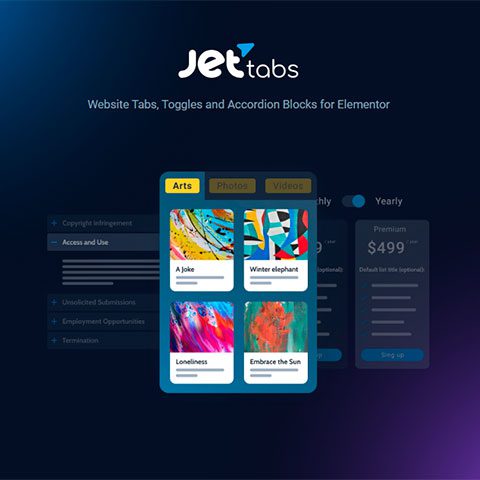
JetTabs for Elementor
3.99 €

Check whether a dated scan report is linked for this file. A scan cannot guarantee safety.
Analyzed with 65 engines · 0 threats detected
File: wp-all-export-pro-1.9.15.zip (3.0 MB)
bba68cabf48182e3bb429594dc1ecb4522c5d2a9badd7ee6b10c5fde21a0b7d8
WP All Export Pro it allows you to export any WordPress data in XML, CSV and Excel formats. Customize the export file layout, edit the data and then reimport it with WP All Import, or send your export file to Dropbox, Google Drive, and 2,000+ other apps with Zapier.
Easily export any WordPress data with WP All Export Pro:
The simple interface of WP All Export Pro it allows you, through easy drag and drop operations, to export any data from posts, pages, users or any type of personalized content (such as WooCommerce products or orders, Easy Digital Downloads downloads, etc.). You can organize the export file exactly how you need it to be, with the data you choose, including custom fields.
WP All Export Pro it is designed to be efficient even on large databases, allowing you to export large amounts of data even on shared servers.
WP All Export Pro use Zapier to automatically send created export files to over 500 different apps. You can set it to save your export files to Google Drive, Dropbox, OneDrive, etc., or send them by email.
WP All Export Pro it allows you to schedule automatic exports periodically, allowing you to create automated sales reports and send them wherever you want, or export stocks and/or prices to synchronize them with another website (using WP All Import to also import them automatically), etc.
Review the listed version, filename and any file-verification details provided before installing the file.
When a newer file is available, you can download it from your account during your access period. Check the version shown on the product page.
GPL-covered code can generally be used on multiple sites. Check separately licensed images, other assets and vendor services before use.
Check the license terms that apply to each product. WPTemplateKit is an independent redistribution service and does not include an official developer license or support.
Instead of paying 3.99 € for just this file, join the Club and download it — plus the entire catalog — with unlimited downloads while your membership is active.
Or try everything first with the 24-Hour Pass — 4.99 €Take the 24-Hour Pass and try everything for just 4.99 €: this file and the entire catalog, with full member access for 24 hours. One-time payment — no subscription, nothing to cancel.
Try 24 hours for 4.99 €WPTemplateKit is an independent redistribution service and is not affiliated with the original developers. Trademarks belong to their respective owners.