
 eCommerce
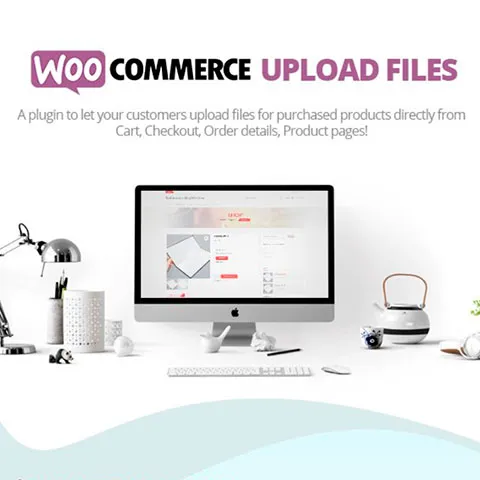
WooCommerce Upload Files
Verified
See scan report
1 Year
Updates
Verified file
Check whether a dated scan report is linked for this file. A scan cannot guarantee safety.
Analyzed with 63 engines · 0 threats detected
File: woocommerce-addon-uploads-pro-3.7.0.zip (24.6 KB)
SHA-256
76227996d314fc2fada7826ee4ffca0e20ec2938c2ca697ce091c8c50341f8bb
WooCommerce Upload Files it allows you to enable file uploads for your customers directly from the product, cart, checkout, received order page and/or order details page. You can also preview images, add additional costs, fees and many other options.
Features of WooCommerce Upload Files
- Upload files for each product purchased from the product page, checkout or order details.
- File upload visible only on certain products.
- Unlimited file upload, unlimited size.
- Ignore the upload size limit imposed by your server thanks to its piecemeal file upload technology.
- Set limits and restrictions on file uploads by:
- Number of files.
- File size.
- File type.
- DPI (resolution).
- Option to set additional costs or set product price based on uploaded files.
- Visibility depending on the role or payment method selected.
- Image cropping.
- Upload progress bar.
- Text field to be displayed optionally for each file upload field.
- Receive uploaded files directly to your email or download them from the order editing screen as a zip.
- Customizable and compatible button texts WPML.
- Responsive design of the fields.
- Preview of images and audios.
- Dropbox support and multiple customization options.
Frequently Asked Questions
Review the listed version, filename and any file-verification details provided before installing the file.
When a newer file is available, you can download it from your account during your access period. Check the version shown on the product page.
GPL-covered code can generally be used on multiple sites. Check separately licensed images, other assets and vendor services before use.
Check the license terms that apply to each product. WPTemplateKit is an independent redistribution service and does not include an official developer license or support.
Related Products
eCommerce
 Design and Customization
Slider Revolution
3.99 €
 Social Media
WhatsApp Chat WordPress
3.99 €
 Memberships and LMS
Wait! Become a member and download it all
Instead of paying 3.99 € for just this file, join the Club and download it — plus the entire catalog — with unlimited downloads while your membership is active.
Or try everything first with the 24-Hour Pass — 4.99 €
Special for you
Still thinking it over?
Take the 24-Hour Pass and try everything for just 4.99 €: this file and the entire catalog, with full member access for 24 hours. One-time payment — no subscription, nothing to cancel.
Try 24 hours for 4.99 €