Analysis performed with VirusTotal · 63 antivirus engines · on 22 de March de 2026
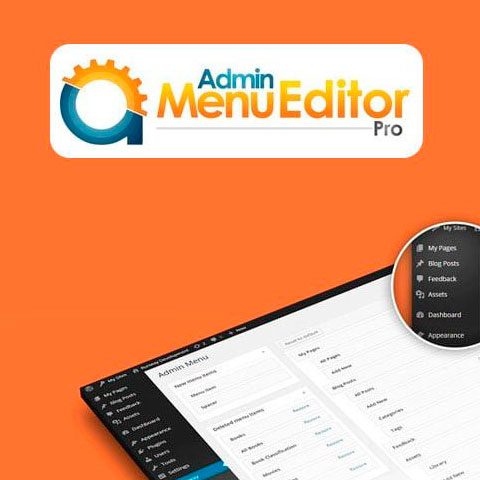
Admin Menu Editor Pro + Addons it allows you to completely edit the WordPress admin area differently for each user role, making WordPress easier for your clients to use, creating white label installations, or limiting the options available to certain types of users.
The download of Admin Menu Editor Pro + Addons includes the Branding and WP Toolbar Editor add-ons.
Features of Admin Menu Editor Pro + Addons
Hide menus from user roles. Select which administration menu options will be available for each user role with just a few clicks: choose the user role to configure (subscriber, client, author, editor, etc.) and uncheck the menu options that you do not want it to have. access.
Organize the menu by dragging and dropping. You can reorder the admin menu options by simply dragging them to their new position: you can upload the ones you use most frequently or even move submenus from one site to another.
Choose from over 600 icons. Admin Menu Editor Pro + Addons includes Dashicons and FontAwesome; You can also upload your own icons in PNG or GIF format or indicate an icon using a URL. You can even assign icons to submenus.
Change menu colors. Edit background colors, texts, icons and highlights. You can apply the changes to the entire menu or customize the colors of specific options.
Create new menu items. With Admin Menu Editor Pro + Addons you can add your own links to the administration menu. You can also create a custom menu with the content of a WordPress post or page. You can also create non-clickable elements, useful as menu headers or to create complex menus.
Make menus open in a new tab. You can have menu items open in a new browser tab, or even include the content of a menu option within an iframe.
Import/export menu settings. You can export menu settings to replicate them to other sites by importing them again or to save them as a backup.
Hide plugins. You can hide elements of the plugins page, allowing only certain user roles to see them or hiding them from everyone.
Review the license terms for code and bundled assets.
What's NOT included?
Official license key from the original developer.
Official developer support.
Installation, setup or configuration services.
Why download Admin Menu Editor Pro + Addons from WPTemplateKit?
Clear product information
Check the version, price and verification details before downloading.
File details
Check the version and any file-verification details shown before installation.
Version shown
Check the listed version before purchase.
Instant download
No waiting. Start working right away.
Check license scope
Check the code and bundled-asset terms before using it on multiple sites.
Affordable WordPress tools for professional projects
Explore plugins, themes and template kits for your next WordPress project.
Frequently Asked Questions
Review the listed version, filename and any file-verification details provided before installing the file.
When a newer file is available, you can download it from your account during your access period. Check the version shown on the product page.
GPL-covered code can generally be used on multiple sites. Check separately licensed images, other assets and vendor services before use.
Check the license terms that apply to each product. WPTemplateKit is an independent redistribution service and does not include an official developer license or support.
Instead of paying 3.99 € for just this file, join the Club and download it — plus the entire catalog — with unlimited downloads while your membership is active.
Take the 24-Hour Pass and try everything for just 4.99 €: this file and the entire catalog, with full member access for 24 hours. One-time payment — no subscription, nothing to cancel.
WPTemplateKit is an independent redistribution service and is not affiliated with the original developers. Trademarks belong to their respective owners.

 Forms
Forms