
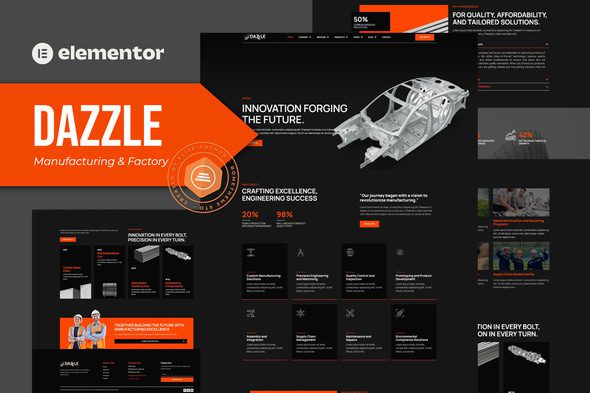
 Automotive Transportation
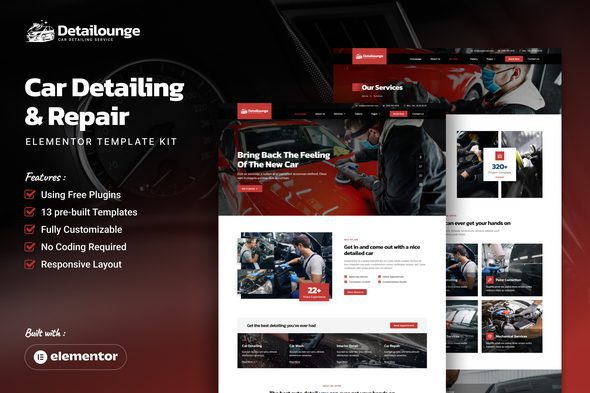
Detailounge – Car Detailing & Repair Service Elementor Template Kit
1 Year
Updates
Detailounge – Car Detailing & Repair Service Elementor Template Kit is your go-to solution for creating a stunning website that perfectly represents your automotive service business. This kit offers a sleek and modern design tailored specifically for car detailing and repair services. With its user-friendly features and easy customization through Elementor, you can effortlessly build a professional online presence. Ensure that your website looks impeccable on all devices, thanks to its full responsiveness. Detailounge helps you stand out in the competitive automotive services industry with a polished and efficient website.
Features :
- Unique, clean, and modern design style
- 10 pages ready to use
- 14 ready to use templates & forms
- Container layout
- Using free plugins (Elementor Pro is not required)
- 100% fully responsive layout
- Customize fonts and colors in one place (Global Kit Style)
Templates in Zip :
- Homepage
- About Us
- Services
- Service Detail
- Gallery
- Contact
- Pricing
- Blog
- Single Post
- Error 404
- Header
- Footer
- Subscription Form
- Simple Contact Form
- Global Kit Styles
Required Plugins :
- Elementskit Lite
- Skyboot Icons
- Metform
How to Use Template Kits:
This is not a WordPress Theme. Template kits contain the design data for Elementor only and are installed using the envato Elements plugin for WordPress or directly through Elementor.
Elementor Template Kits use the Envato Elements plugin to install.
Detailed Guide:
For further support, go to Elementor > Get Help in WordPress menu.
- Enable all libraries in Skyboot > Settings
How to Import Metforms :
- Import the metform block templates
- Import the page template where the form appears and right-click to enable the Navigator
- Locate and select the Metform widget and click Edit Form. Choose New, then Edit Form. The builder will appear
- Click ‘Add Template’ grey folder icon
- Click ‘My Templates’ tab
- Choose your imported metform template, then click ‘Insert’ (click No for page settings)
- Once the template is loaded, make any desired customizations and click ‘Update & Close’ The form will appear in the template
- Click Update
Setup Global Header and Footer in ElementsKit :
- Import the header and footer template
- Go to ElementsKit > Header Footer and click Add New (if prompted with a wizard, you may click Next through it without taking any action)
- Title the header, leave Entire Site selected and toggle Activation to On
- Click the gray Edit Content button to load the builder
- Click the gray folder icon and select the header template to import, select your menu in the nav element and click Update
- Repeat for Footer
Image License : This Template Kit uses demo images from Envato Elements. You will need to license these images from Envato Elements to use them on your website, or you can substitute them with your own.
Frequently Asked Questions
Review the listed version, filename and any file-verification details provided before installing the file.
When a newer file is available, you can download it from your account during your access period. Check the version shown on the product page.
GPL-covered code can generally be used on multiple sites. Check separately licensed images, other assets and vendor services before use.
Check the license terms that apply to each product. WPTemplateKit is an independent redistribution service and does not include an official developer license or support.
Related Products
Automotive Transportation
 Automotive Transportation
 Automotive Transportation
 Automotive Transportation
Wait! Become a member and download it all
Instead of paying 3.99 € for just this file, join the Club and download it — plus the entire catalog — with unlimited downloads while your membership is active.
Or try everything first with the 24-Hour Pass — 4.99 €
Special for you
Still thinking it over?
Take the 24-Hour Pass and try everything for just 4.99 €: this file and the entire catalog, with full member access for 24 hours. One-time payment — no subscription, nothing to cancel.
Try 24 hours for 4.99 €