
 Health Medical
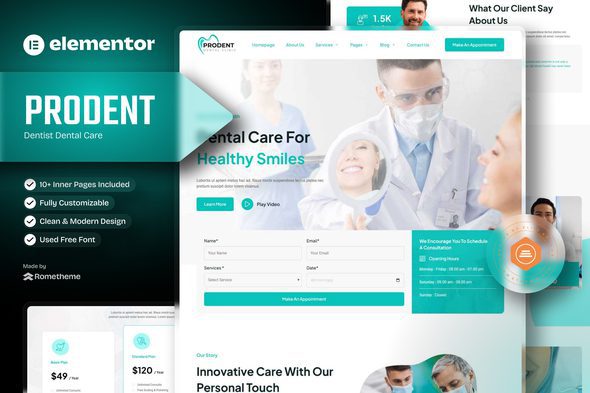
Prodent – Dentist Dental Care Elementor Template Kit
Verified
See scan report
1 Year
Updates
Verified file
Check whether a dated scan report is linked for this file. A scan cannot guarantee safety.
Analyzed with 64 engines · 0 threats detected
File: prodent-dentist-dental-care-elementor-template-k-2024-11-19-22-46-21-utc.zip (1.7 MB)
SHA-256
308c3a4854fc3418af66b0971257d415f42852ef5948c9e6507c8a4e235c1adb
Changelog & Update History:
Version 1.0.1 - (28 May 2025)
- Fixed missing content
Version 1.0.0 - (14 Novermber 2024)
- First Release
Welcome to Prodent – The Ultimate WordPress Template for Dentist Dental Care Services Websites
Prodent is a modern and dynamic WordPress template, specifically designed for dental, dentist, doctor, healthcare, medical service, and treatment . It’s fully compatible with Elementor Page Builder, offering advanced features that are intuitive, customizable, and perfectly suited to meet the unique needs of your business.
Whether you’re a designer, developer, or entrepreneur, Prudent empowers you to create a professional and visually appealing website with ease and speed.
Key benefits include:
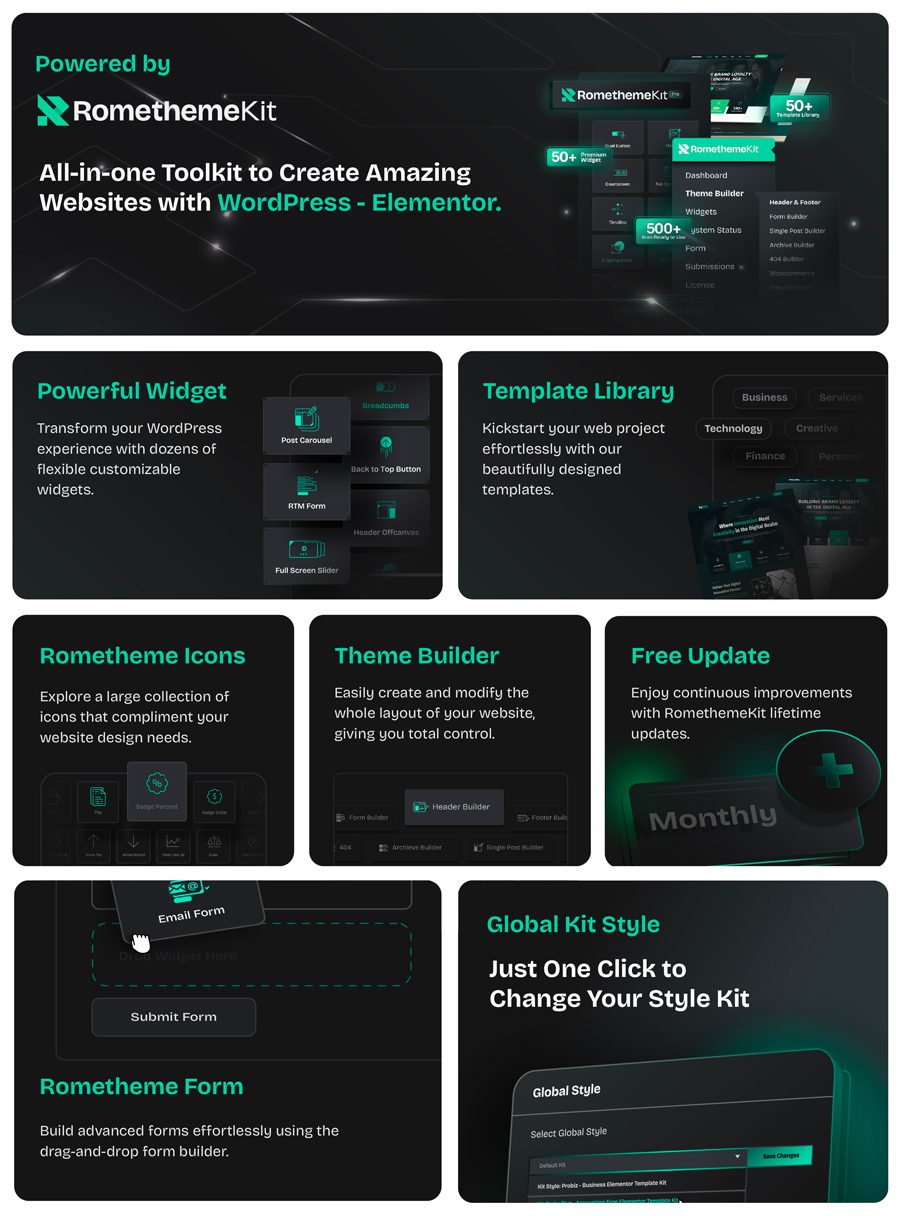
- Exclusive with RTMKit Plugin: Access theme builder, Premium icons, advanced widgets, and form builder to simplify your website creation.
- Performance-Focused: Minimal plugin usage for optimal website speed.
- 12+ Premium Pre-Designed Templates: Professional aesthetics to enhance your brand’s credibility.
- Free Plugin, No Elementor PRO Needed: All features are included without requiring Elementor PRO.
- Responsive Design: Optimized for desktops, tablets, and mobile devices.
- Fully Customizable with Elementor: Modify every element of your site using Elementor’s drag-and-drop editor, no coding required.
- Easy to Customize: Effortlessly personalize with detailed documentation and step-by-step video tutorials.
- Comprehensive Documentation: Detailed setup guide for quick and easy installation.
- Lifetime Updates and 24/7 Support: We provide free lifetime updates and round-the-clock support to ensure your site stays compatible, secure, and functional.
Why Choose Us?
- Professional Design: Tailored to reflect trust and the quality of your delivery and courier service websites.
- High Performance: Minimal plugins for fast and efficient website operation.
- Lifetime Commitment: Free lifetime updates to ensure your template remains cutting-edge.
- Unlimited Flexibility: Customize every element effortlessly with the RTMKit Plugin.
- User-Friendly: Perfect for beginners and experienced users alike.
Templates included:
- Homepage
- About Us
- Services
- Service Detail
- Pricing Plan
- Appointment
- Our Team
- FAQs
- Blog
- Contact Us
- Single Post (Required Plugin PRO)
- Error 404 Page (Required Plugin PRO)
- Block – Header
- Block – Footer
- Block – Appointment Form
- Block – Contact Form
- Block – Online Appointment Form
Plugins installed with kit:
- RTMKit Addons for Elementor
- RTMForm Builder for Elementor
How to Use Template Kits:
This is not a WordPress Theme. Template kits contain the design data for Elementor only and are installed using the Envato Elements plugin for WordPress or directly through Elementor.
Elementor Template Kits use the Envato Elements plugin to install.
Detailed Guide:
For further support, go to Elementor > Get Help in WordPress menu.
Setup Global Header and Footer in RTMKit
If you have Elementor Pro, headers and footers may be customized under Theme Builder.
- Go to RTMKit > Theme Builder > Header in the WordPress admin, then click Add New.
- Enter a title, select “Header” as the type, then go to the Conditions tab, set it to “Entire Site”, and click Save.
- Click Edit with Elementor to open the builder.
- In the editor, click the gray folder icon, go to the My Templates tab, select your Header Template, and click Insert.
- Make any adjustments, then click Update to save.
- Repeat the same steps for the Footer under RTMKit > Theme Builder > Footer.
How to Setup Forms with RTMForm
If you have Elementor Pro, skip install of form plugin and form blocks.
- Import the form blocks.
- Go to RTMKit Plugin > Theme Builder > Forms in the WordPress admin.
- Click “Add New”, enter a form name, then click “Save and Edit”.
- In the builder, click the gray folder icon, go to the My Templates tab, and click Insert on your form block.
- Click Publish (or Update).
- When customizing pages with forms, use the RForm widget and select the form you created.
Images:
This Template Kit uses demo images from Envato Elements. You will need to license these images from Envato Elements to use them on your website, or you can substitute them with your own. Blog Content is not included – you will need to add a few posts to WordPress before post content will appear in templates.
Frequently Asked Questions
Review the listed version, filename and any file-verification details provided before installing the file.
When a newer file is available, you can download it from your account during your access period. Check the version shown on the product page.
GPL-covered code can generally be used on multiple sites. Check separately licensed images, other assets and vendor services before use.
Check the license terms that apply to each product. WPTemplateKit is an independent redistribution service and does not include an official developer license or support.
Related Products



Wait! Become a member and download it all
Instead of paying 3.99 € for just this file, join the Club and download it — plus the entire catalog — with unlimited downloads while your membership is active.
Or try everything first with the 24-Hour Pass — 4.99 €
Special for you
Still thinking it over?
Take the 24-Hour Pass and try everything for just 4.99 €: this file and the entire catalog, with full member access for 24 hours. One-time payment — no subscription, nothing to cancel.
Try 24 hours for 4.99 €